
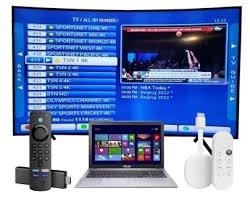
Using firestick iptv has transformed how people enjoy live TV, movies, sports, and on-demand entertainment at home. One powerful but often overlooked feature is Bluetooth connectivity. Pairing Bluetooth devices with your Firestick can dramatically improve your viewing experience, whether you want private listening through headphones, better audio via speakers, or easier navigation with a wireless remote.
In this in-depth guide, we explain how to connect Bluetooth devices step by step, fix common issues, and optimize performance so you can get the most out of your firestick iptv setup. This article is designed for beginners and advanced users alike and focuses on smooth performance, clarity, and ease of use.
Why Bluetooth Matters for Firestick IPTV Users
Bluetooth support is a major advantage for modern streaming. With firestick iptv, Bluetooth allows you to connect multiple accessories without cables, keeping your setup clean and flexible.
Key benefits include:
- Private listening with Bluetooth headphones
- Enhanced sound quality using external speakers
- Easier control with Bluetooth remotes and keyboards
- Reduced cable clutter around your TV
For users who watch late at night or share living spaces, Bluetooth connectivity makes firestick iptv far more practical and enjoyable.
Bluetooth Devices Compatible with Firestick IPTV
Before pairing, it’s important to know which devices work best with firestick iptv.
Bluetooth Headphones and Earbuds
These are the most popular accessories. They allow you to enjoy content without disturbing others and are ideal for movies, live sports, and late-night viewing.
Bluetooth Speakers and Soundbars
External speakers improve audio clarity, bass response, and overall immersion. This is especially useful when watching live channels or action-heavy content.
Bluetooth Keyboards and Remotes
Typing search queries and login details becomes faster and more accurate with a Bluetooth keyboard. Some users also prefer third-party Bluetooth remotes for easier navigation.
How to Connect Bluetooth Devices to Firestick IPTV
Connecting Bluetooth devices is straightforward. Follow these steps carefully for a smooth pairing process.
Step 1: Prepare Your Bluetooth Device
- Fully charge the device
- Turn it on
- Activate pairing mode (usually by holding the power or Bluetooth button)
Step 2: Open Firestick Settings
- Turn on your Firestick
- Go to Settings from the home screen
- Select Controllers & Bluetooth Devices
Step 3: Pair the Device
- Choose Other Bluetooth Devices
- Select Add Bluetooth Devices
- Wait for your device to appear
- Click on it to pair
Once connected, your Bluetooth device will automatically work with firestick iptv.
Best Bluetooth Settings for Firestick IPTV Performance
To get the best experience, you should optimize your Firestick settings after pairing.
- Keep your Firestick software updated
- Disconnect unused Bluetooth devices
- Maintain a close distance between Firestick and Bluetooth accessories
- Avoid Wi-Fi interference by using a stable internet connection
These adjustments help ensure uninterrupted playback and consistent audio sync when using firestick iptv.
Common Bluetooth Issues and How to Fix Them
Even with proper setup, some users face issues. Below are common problems and proven solutions.
Bluetooth Device Not Showing
- Restart both Firestick and Bluetooth device
- Reset the Bluetooth accessory
- Try pairing again
Audio Delay or Lip Sync Problems
- Disconnect and reconnect the device
- Reduce background apps running on Firestick
- Use high-quality Bluetooth headphones with low latency
Frequent Disconnections
- Keep devices within range
- Avoid pairing multiple Bluetooth devices simultaneously
- Check for firmware updates
Fixing these issues ensures stable audio while streaming through firestick iptv.
Using Bluetooth Headphones with Firestick IPTV
Bluetooth headphones are ideal for private listening. Once connected, all audio from firestick iptv automatically routes through them.
Benefits include:
- No disturbance to others
- Clear dialogue and sound effects
- Comfortable long viewing sessions
If you experience low volume, adjust both the Firestick and headphone volume levels for balanced sound.
Using Bluetooth Speakers for Enhanced Audio
Bluetooth speakers bring movies and live TV to life. For firestick iptv, external speakers improve voice clarity, music depth, and overall immersion.
Tips for better performance:
- Place speakers near the TV
- Avoid placing them behind walls or furniture
- Keep Bluetooth firmware updated
This setup works especially well for sports and live events.
Advanced Tips for Bluetooth and Firestick IPTV
Advanced users can further improve performance by:
- Clearing Firestick cache regularly
- Limiting background apps
- Using a dual-band Wi-Fi router
- Restarting Firestick weekly
These steps help maintain consistent performance when using firestick iptv with Bluetooth accessories.
Conclusion
Bluetooth connectivity adds flexibility, comfort, and enhanced audio to your streaming setup. When paired correctly, Bluetooth devices work seamlessly with firestick iptv, allowing private listening, improved sound quality, and easier navigation. By following the steps and tips in this guide, you can connect Bluetooth headphones, speakers, and accessories without frustration. With proper optimization and maintenance, your firestick iptv experience becomes smoother, more immersive, and perfectly tailored to your viewing needs.
FAQs
1. Can I connect more than one Bluetooth device at a time?
Yes, but only one audio device works at a time for sound output.
2. Does Bluetooth affect streaming quality?
No, Bluetooth does not reduce video quality on firestick iptv.
3. Why is there audio lag with Bluetooth headphones?
Low-quality or older Bluetooth devices may cause latency.
4. Do all Firestick models support Bluetooth?
Yes, most modern Firestick models include built-in Bluetooth support.
5. Can I use Bluetooth while watching live channels?
Yes, Bluetooth works with live TV, movies, and on-demand content.
For more information: Fire IPTV Hub
